
First-Degree Message Campaigns/ Nurture Campaigns
First-Degree Message campaigns let you send automated personalized messages to your existing LinkedIn connections. Use this campaign type to nurture your network, follow up after events, or reconnect with past prospects without sending connection requests.
Before you begin: Your prospects must already be 1st-degree connections on LinkedIn. Valley automatically excludes anyone who isn't connected to you.
When to use first-degree campaigns
This campaign type is designed for warming existing relationships, not new prospecting.
How to create a first-degree campaign
1. Select the campaign type
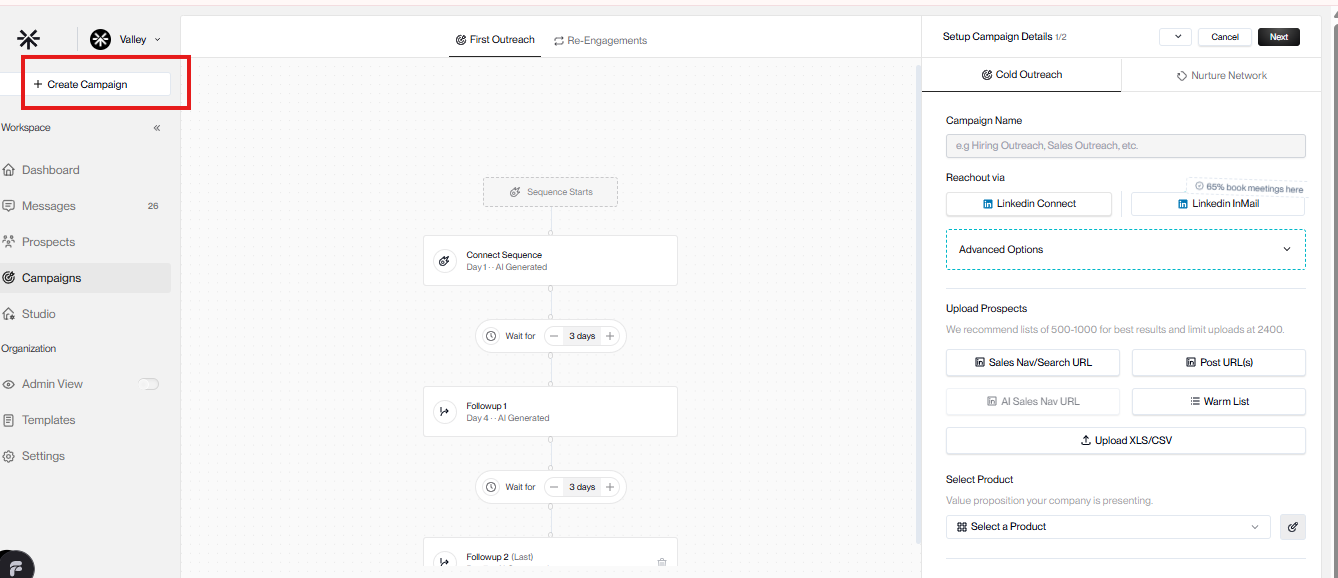
Go to Campaigns and click Create Campaign. Choose Nurture Network (1st Degree Reachout) as your campaign type.
2. Choose your template
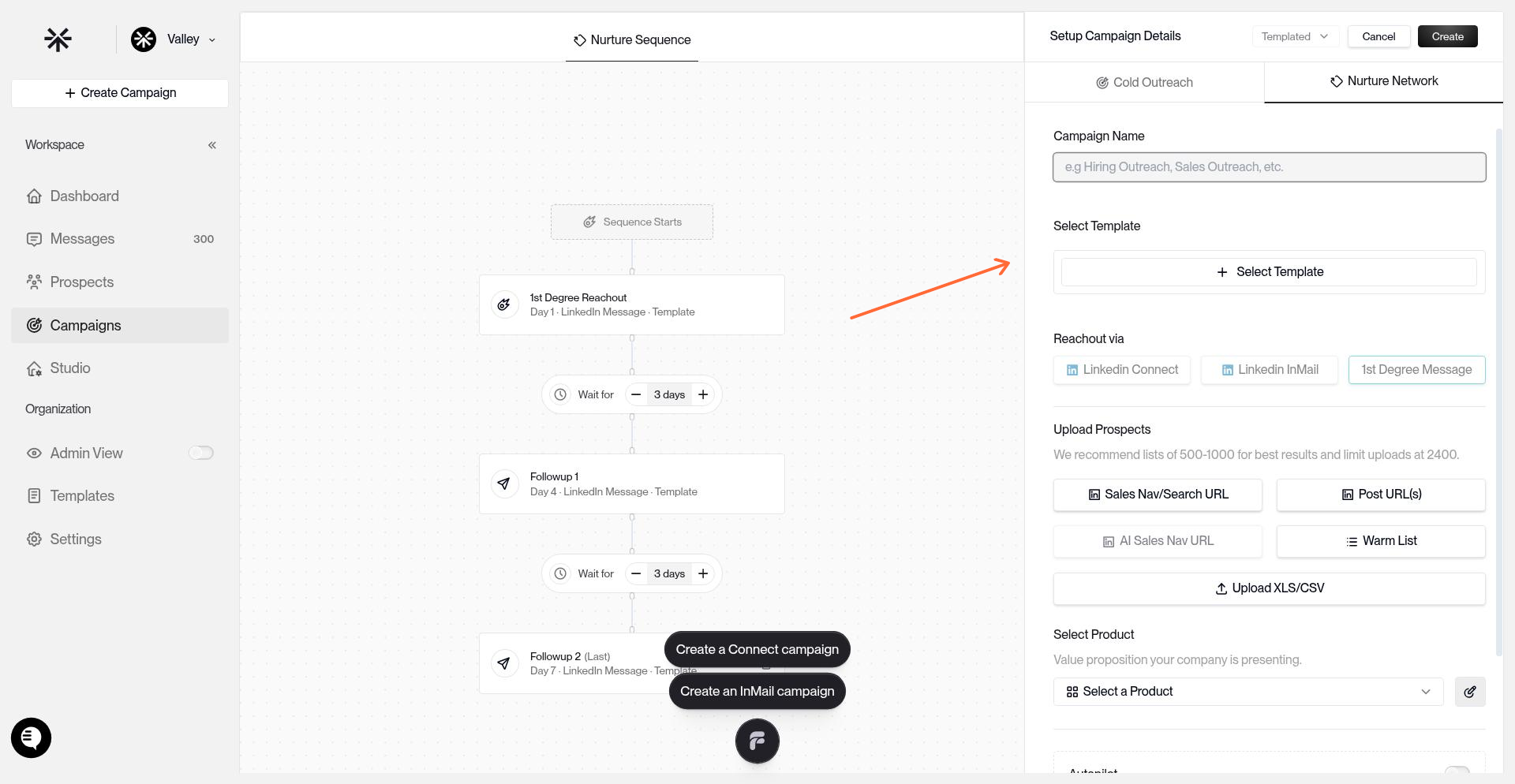
Click Select Template to pick a message template.
3. Upload your connections
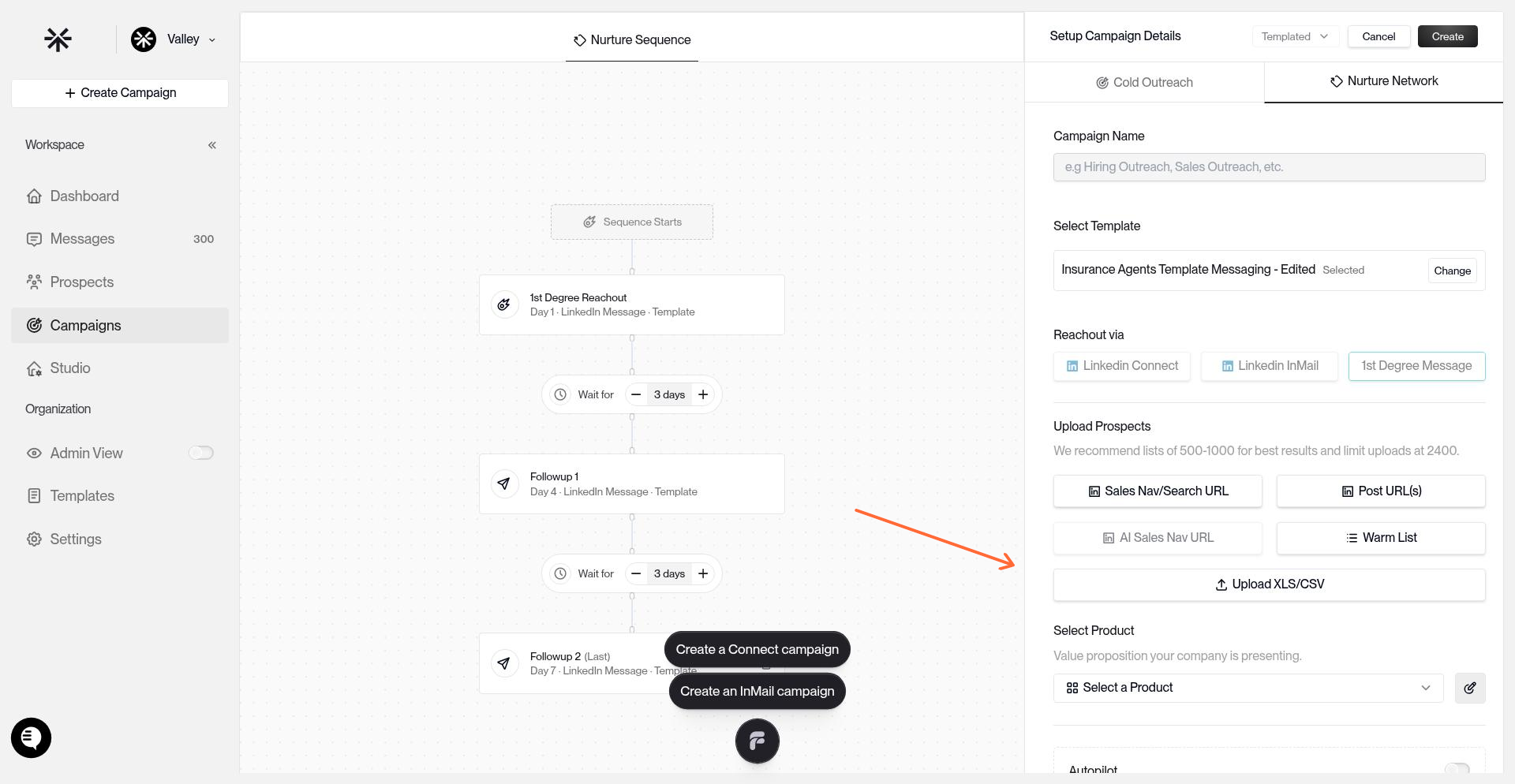
Click Upload XLS/CSV to add your audience or paste a sales navigator URL.
4. Configure campaign settings
Set your messaging pace, schedule, and approval preferences.
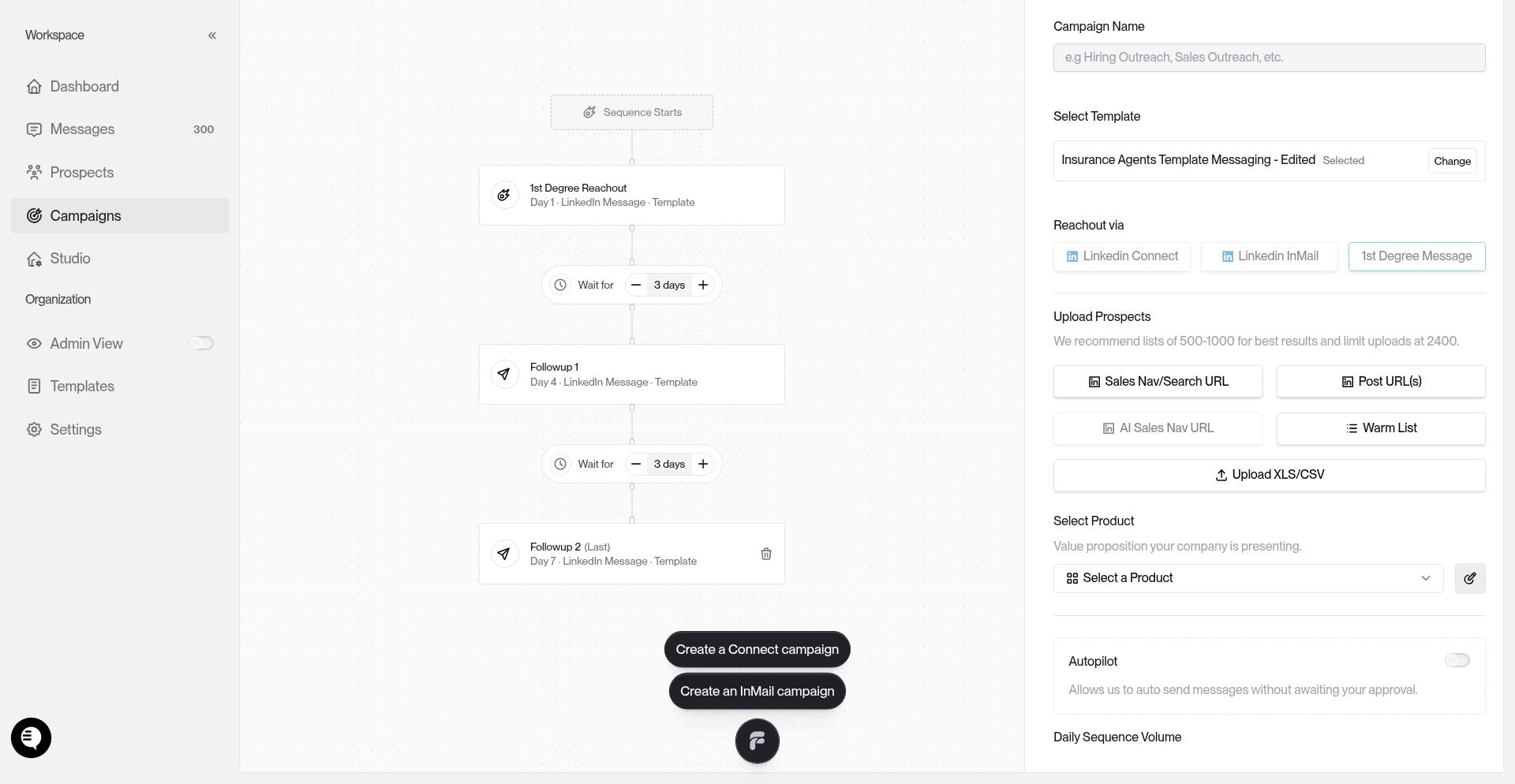
Review your settings and click Launch Campaign.
Next steps
For the complete campaign creation workflow and routing options, see How to Create a Campaign. To learn about other lead sources like Warm Lists and Sales Navigator imports, visit What Are Warm Lists?.