
ICP Scoring
ICP scoring tells Valley how closely each prospect matches the saved ICP in a Product. It drives High, Medium, and Low fit labels across warm lists, imports, and campaign prospect tables.
Where ICP scoring comes from
ICP scoring is tied to the ICP saved inside each Product in Studio. Valley generates or drafts that ICP during onboarding or in Studio, but scoring only uses the current saved version.
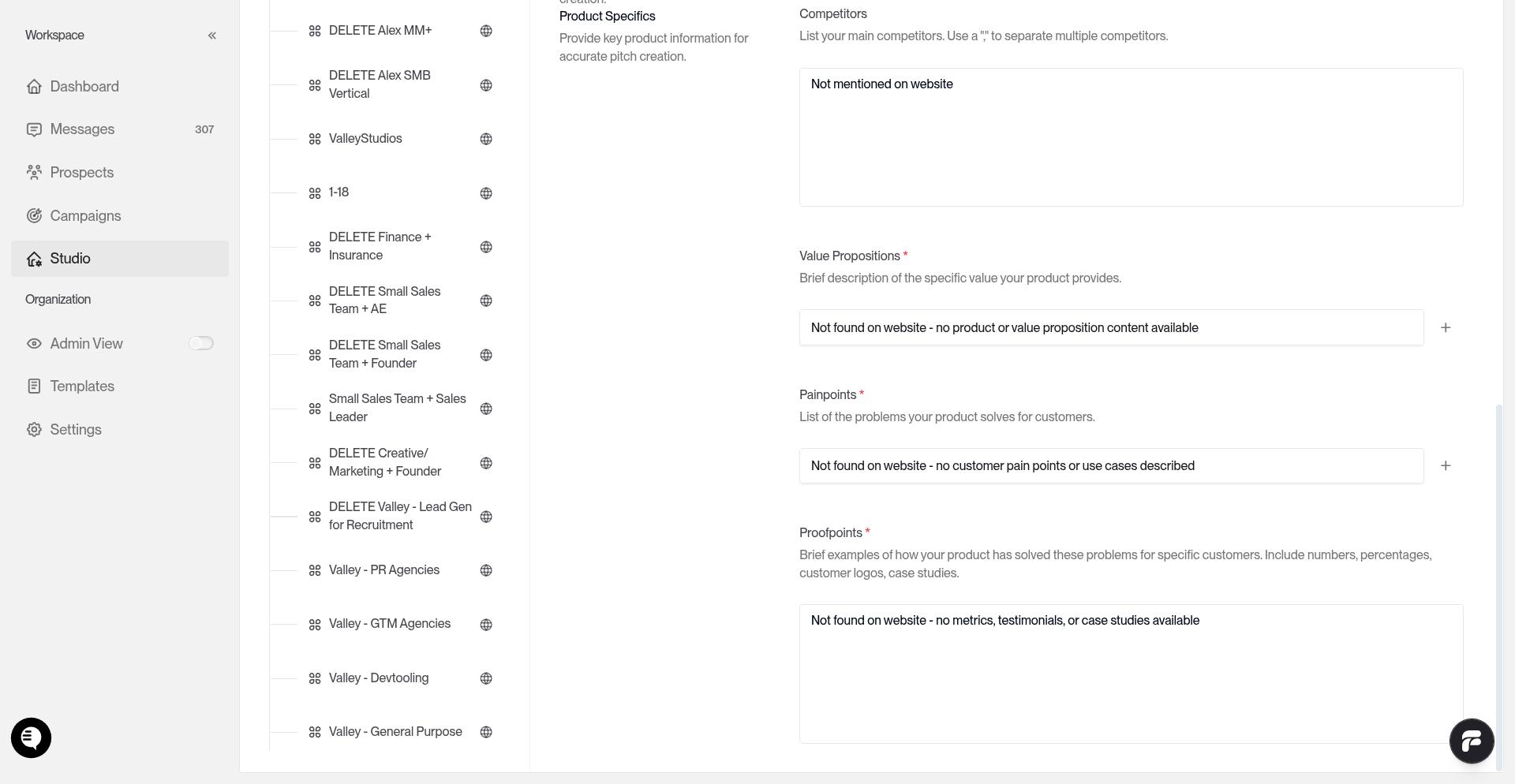
The saved ICP can include:
Geography - allowed countries or regions and explicit excluded geos
Company size - employee ranges or thresholds
Role and title - target titles, seniority, and departments
Keywords and must-haves - industry, product, tech, or intent signals that should be present
Disqualifiers - explicit no-go rules that can drive a prospect to Low fit
How ICP Scoring works
A Product has a saved ICP definition.
For each prospect, Valley assembles the data it has, such as country, region, employee count, title, and company details.
If the prospect's country is known and outside your allowed geos, or matches an excluded geo, Valley sets the prospect to Low immediately. This geo hard-gate skips the AI scoring call.
If country is unknown or ambiguous, Valley does not gate on geography. It scores the prospect normally against the rest of the saved ICP.
For non-gated prospects, Valley stores the overall fit, a breakdown of company fit, title fit, keyword matches, disqualifiers, and a short justification.
When an ICP is regenerated or rescored, prospects may temporarily show REGENERATING.
What High, Medium, and Low mean
High ICP Fit
The prospect closely matches the saved ICP for the Product.
Medium ICP Fit
The prospect matches part of the ICP, but not strongly enough to rank High.
Low ICP Fit
The prospect conflicts with the saved ICP, hits a disqualifier, or fails the geo hard-gate.
Where to see ICP fit
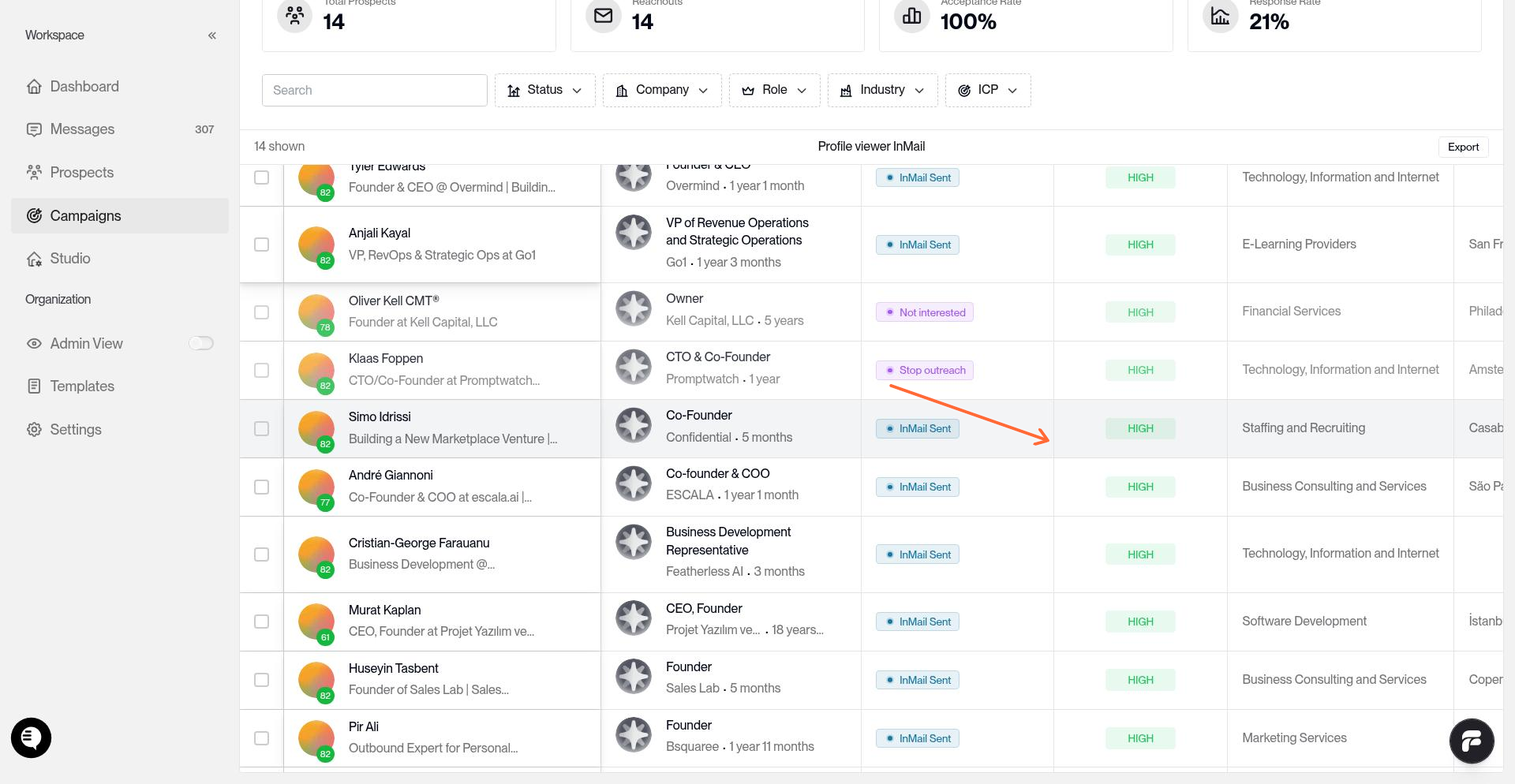
Open a campaign to view the prospect table. The ICP Fit column shows each prospect's current fit.
Delete Low ICP Fits after scoring
For imported list campaigns, remove low-fit prospects after scores are available:
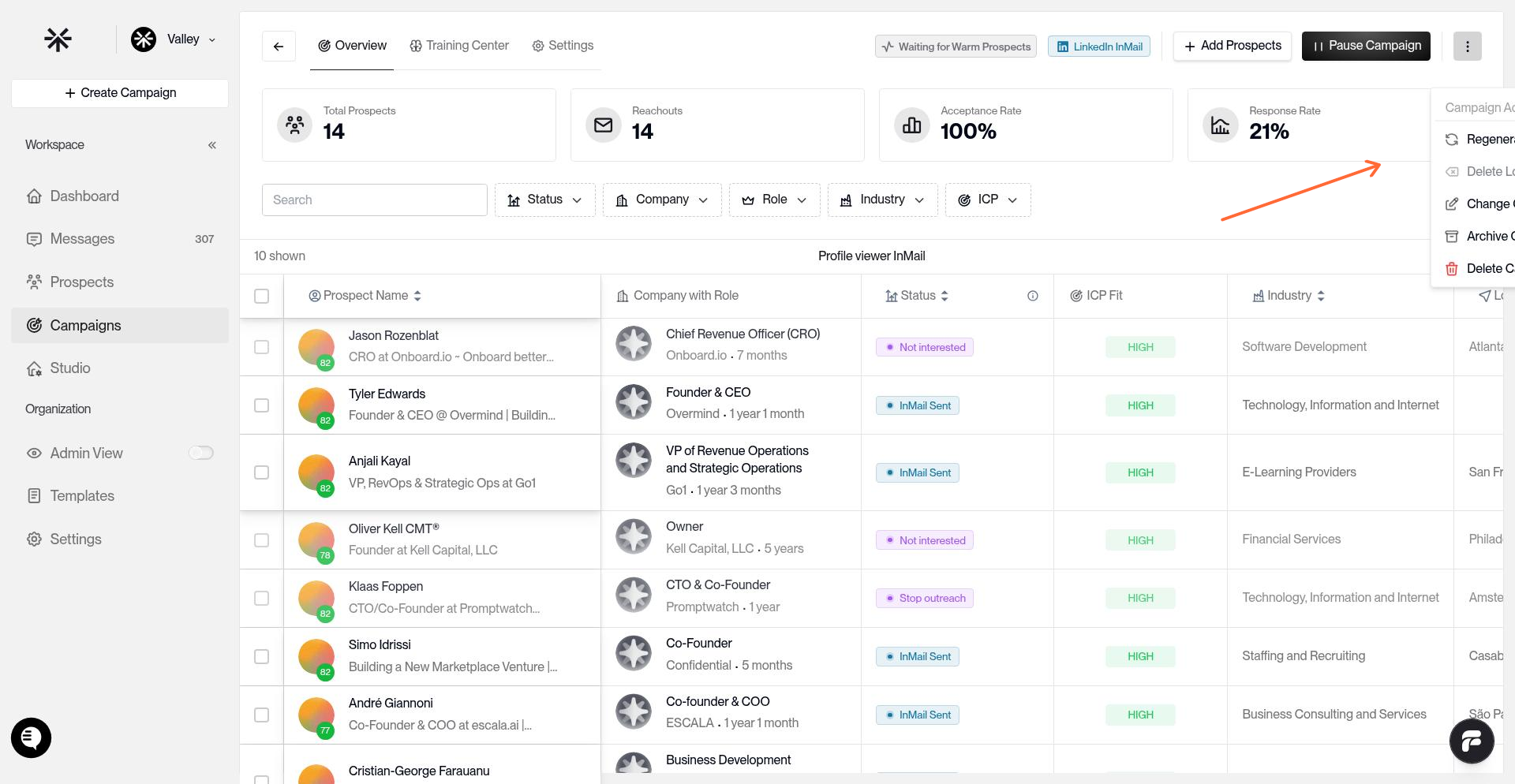
Open the campaign
Open Campaign Actions
Click Delete Low ICP-Fits
Warm list campaigns still route only High-fit prospects into campaigns by default. Imported lists can include Medium and Low fits until you clean them up.
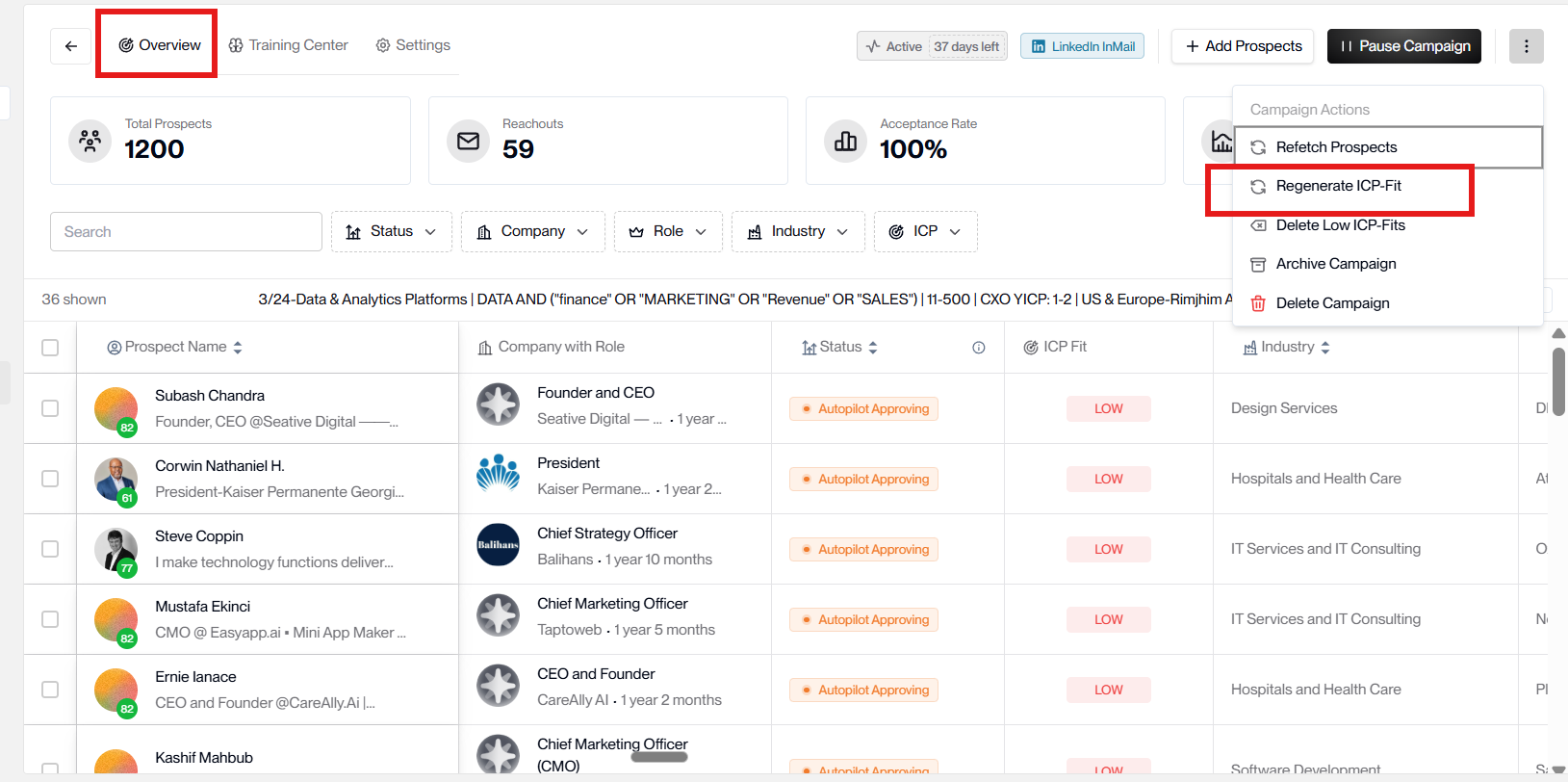
Regenerate the scoring in existing campaign after making changes in the product section
You can regenerate the ICP fit scoring for each campaign after making changes in the product section by going to the campaign overview ---> 3 dots ---> Regenerate ICP fit
Related articles
To update the saved ICP, see Creating a Product in Studio. To review scored prospects in a live campaign, see Managing Prospects.