
Setting Up Profile Followers
Profile Followers and Website Visitors are two additional warm list types that complement Profile Viewers and Post Engagers.
Profile Followers
What It Captures
People who follow your LinkedIn profile. These are opt-in prospects - they've chosen to see your content. When someone follows, they're signaling interest in staying updated on what you share.
Setup Steps
Navigate to the Prospects tab and find the Warm Lists section at the top. Locate the Profile Followers card.
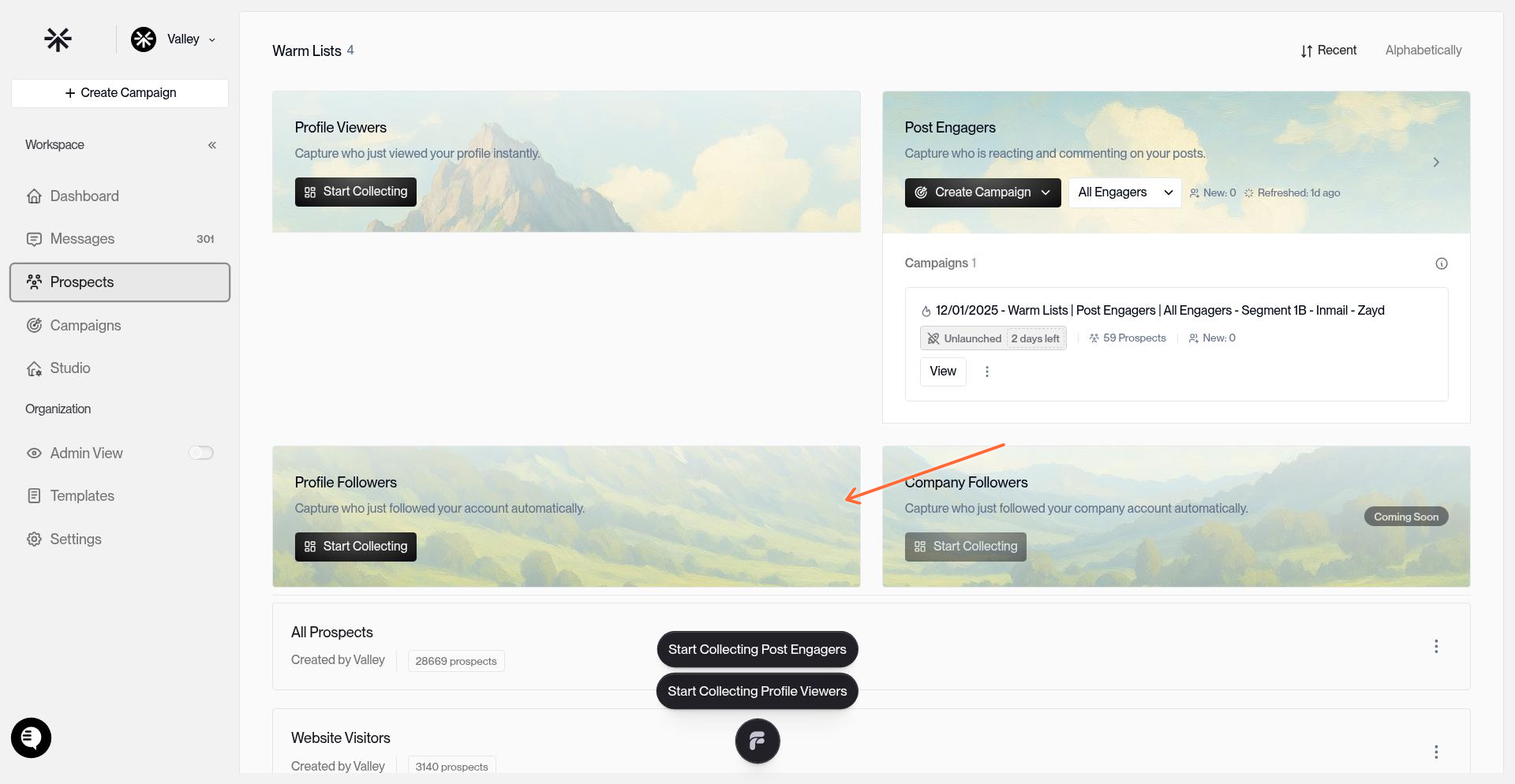
Click the Start Collecting button on the Profile Followers card.
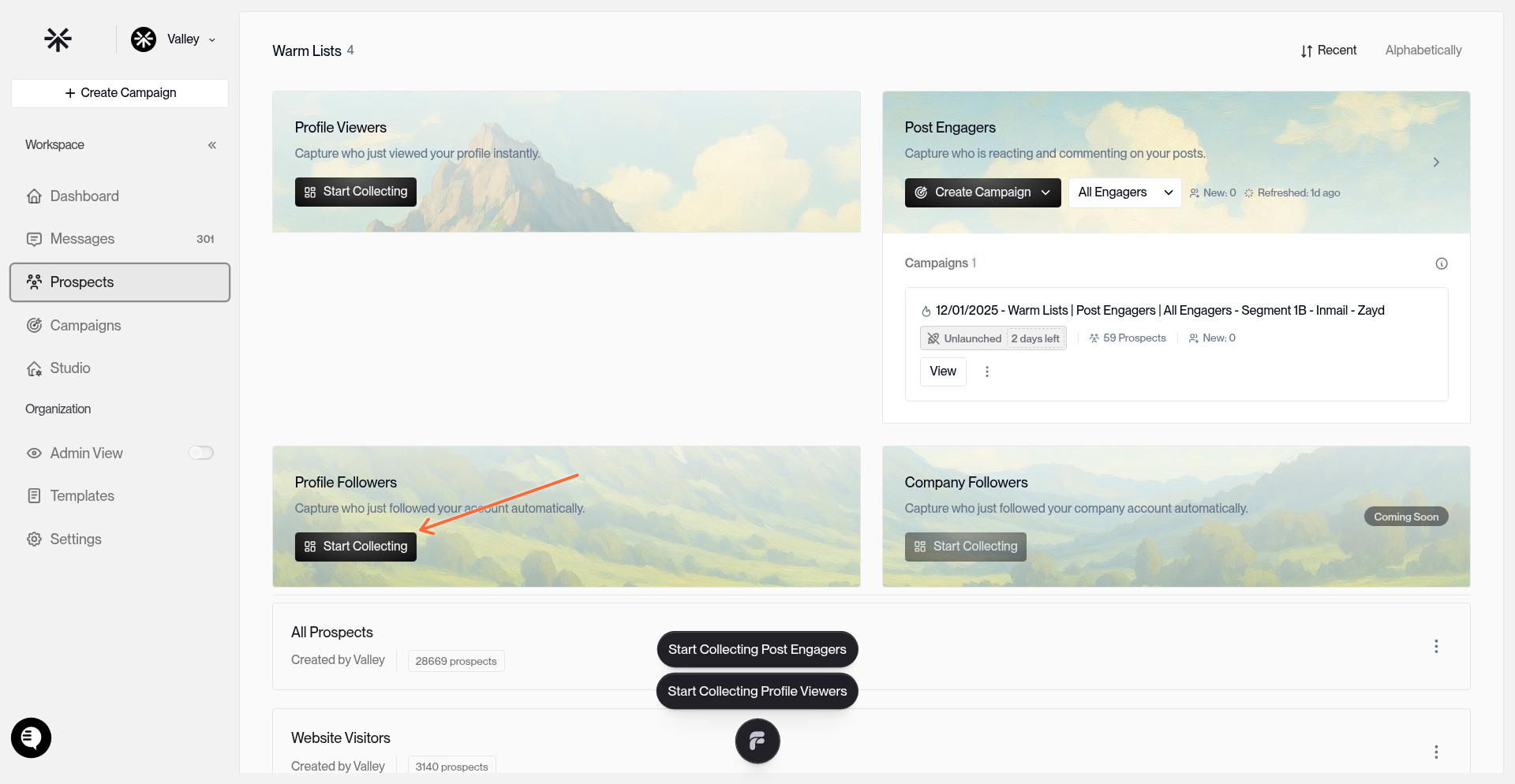
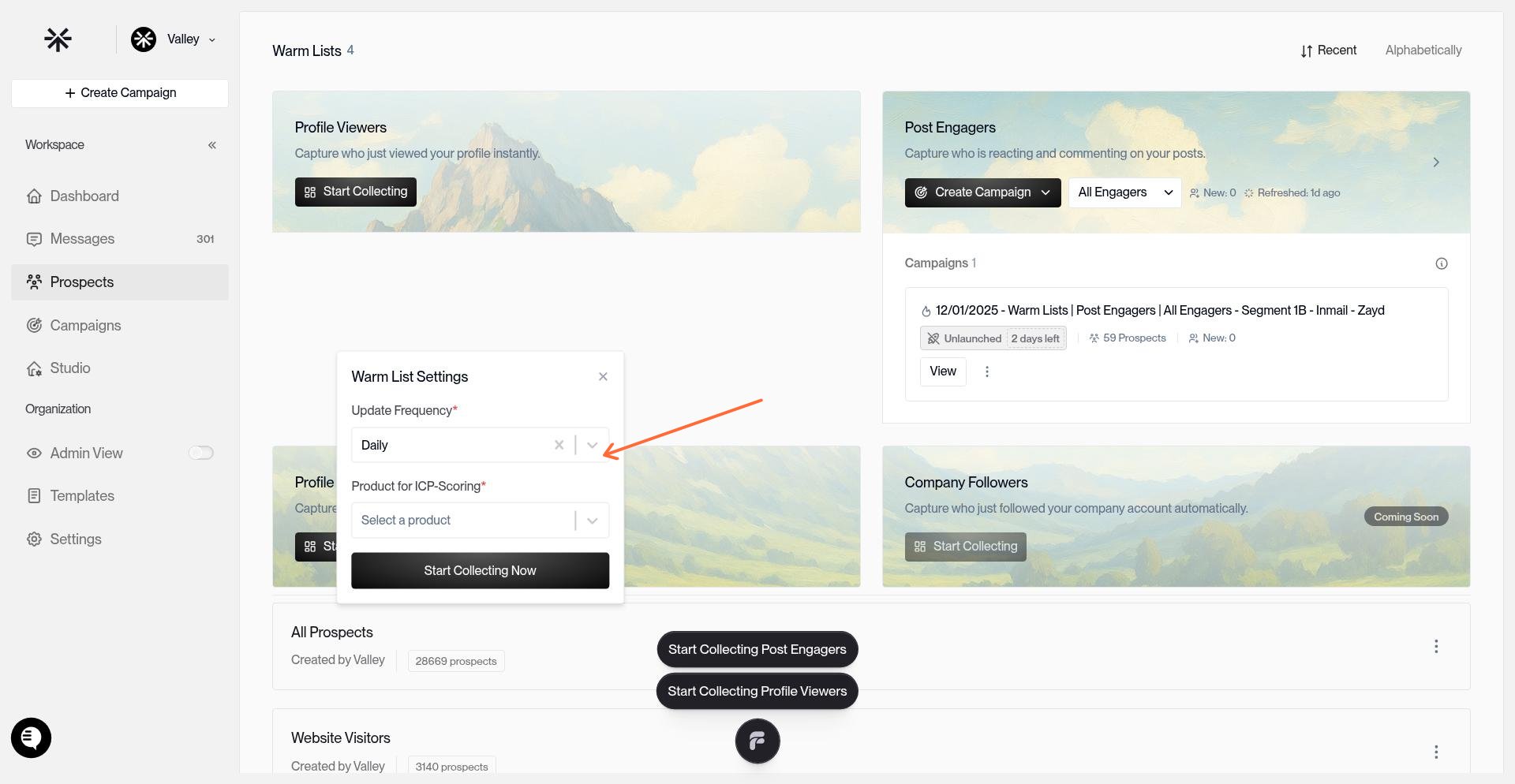
Configure the initial settings:
Update Frequency: Set to Daily (recommended)
Product for ICP-Scoring: Select your product to score followers against your ICP
After saving, Valley will begin capturing your profile followers. The initial data pull takes about 5 minutes. You'll see a count and timestamp on the card once data is available.
Campaign Creation
Recommended Strategy: Use one campaign creation flow and select both Connect and InMail. This lets the same follower list be used across both outreach types without creating separate campaigns.
Once Profile Followers are being captured, click Create Campaign on the card to set up your outreach.
When the campaign window opens, select both outreach types:
Connect: For prospects who need a connection request first
InMail: For prospects you can message through InMail
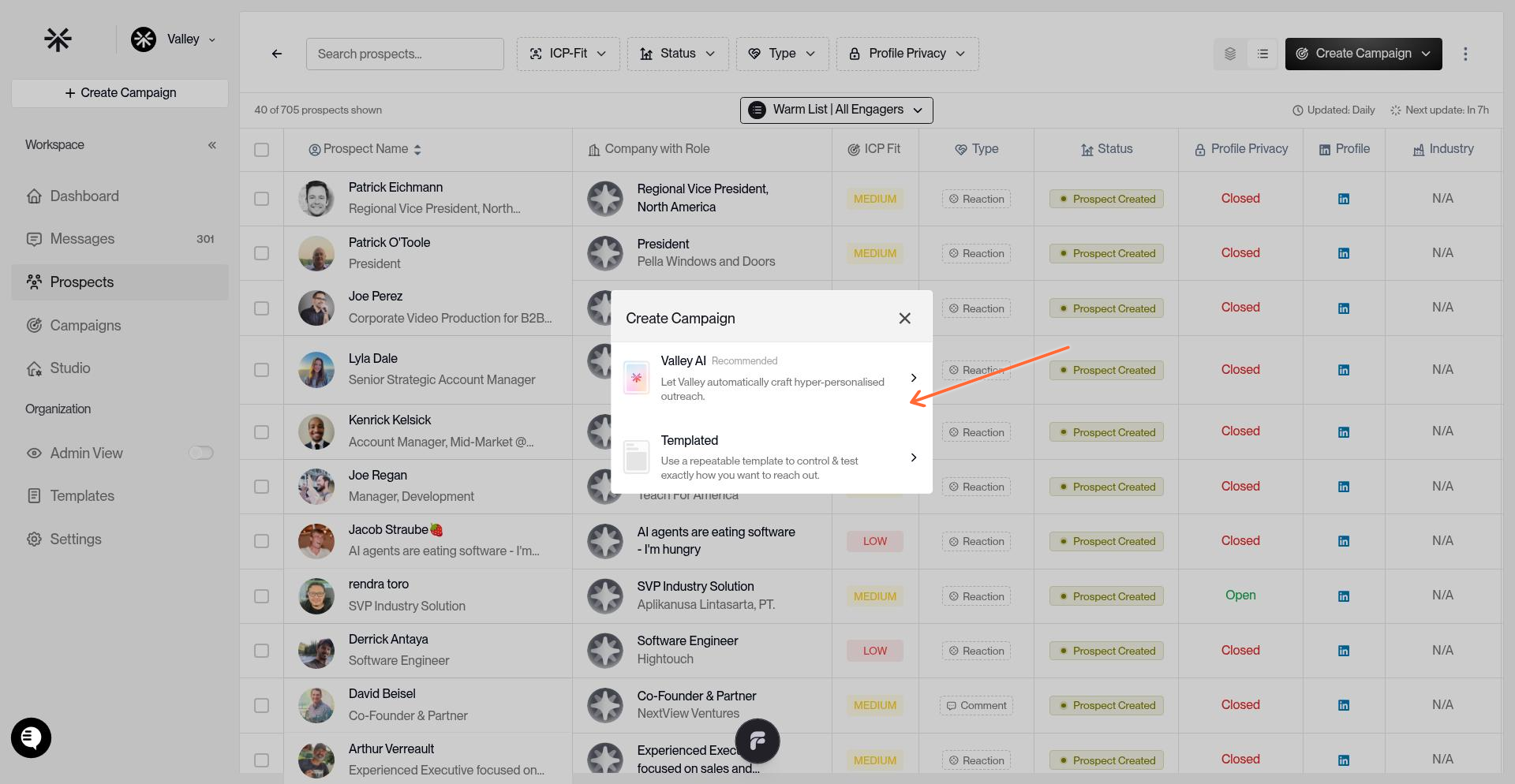
Configure your campaign settings:
Campaign Name: Use something descriptive like "Profile Followers"
Reach out via: select both
Product: Select the product you chose during warm list setup
Writing Style: Select the writing style you configured in Studio
Outreach language: Select a language
Autopilot: Turn on autopilot if you want Valley to start sending messages without approval
Daily Sequence Volume: keep as default (25)
Sequence timing: 9am-5pm
Research Agents: Enable the research agents you want (these pull company info, role details, recent news for personalization). You can select up to 5 here.
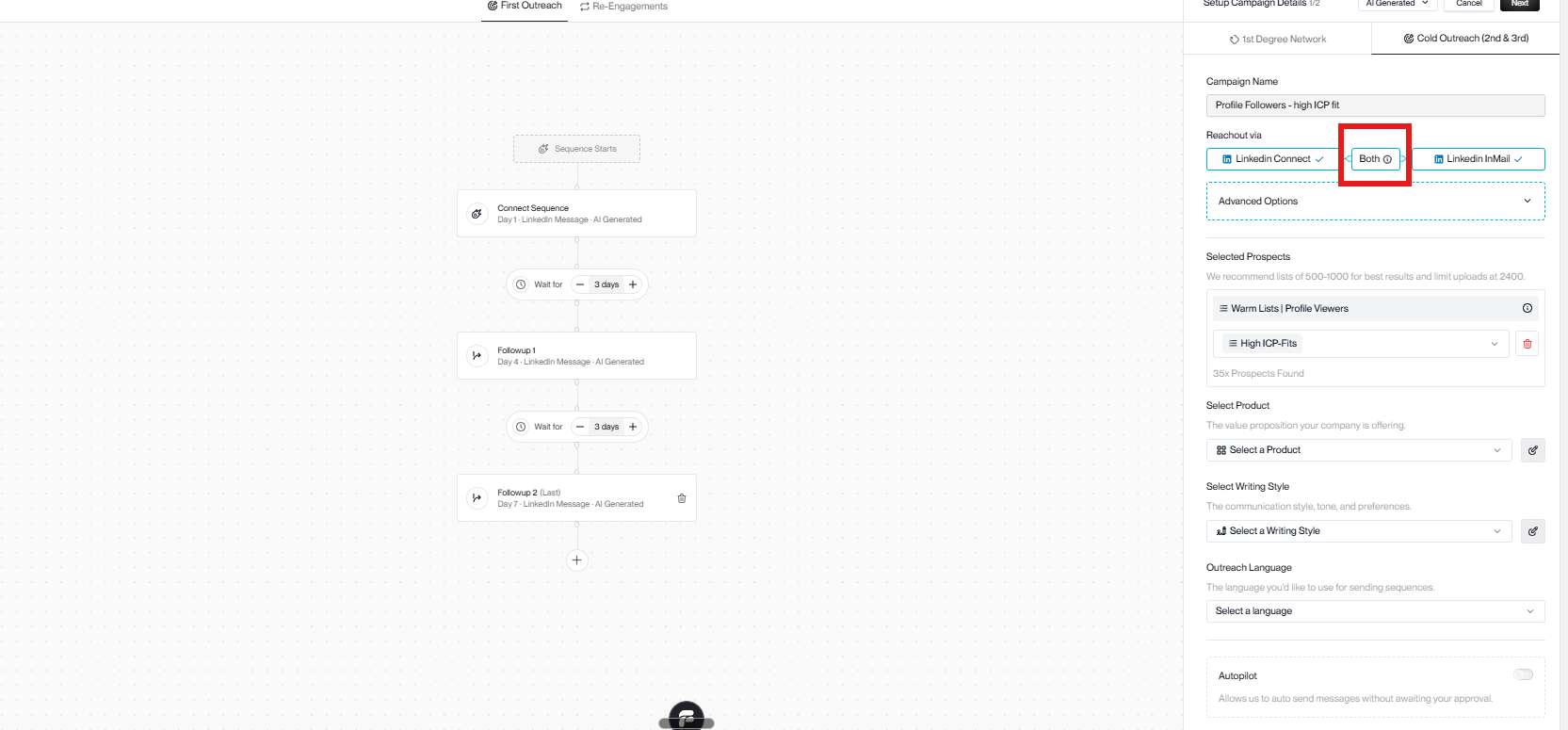
Valley uses the same campaign setup across Connect and InMail when both are selected in the creation window.
Do not create separate Connect and InMail campaigns for Profile Followers. Select both in the create campaign window.
After creating your campaign, it enters Training Mode where you review a batch of messages, provide feedback, and then launch. Toggle Autopilot ON (recommended) for automatic sending.
Why Profile Followers Work
Your followers are a warm audience. They've seen your content and decided to stick around. When you reach them with a relevant offer, you're not a stranger - you're someone they chose to follow.