
How do I add more prospects to an existing campaign?
You can manually add LinkedIn prospects to an active campaign. New prospects go through the same enrichment, ICP scoring, and personalization flow as your original imports.
Add prospects to a campaign
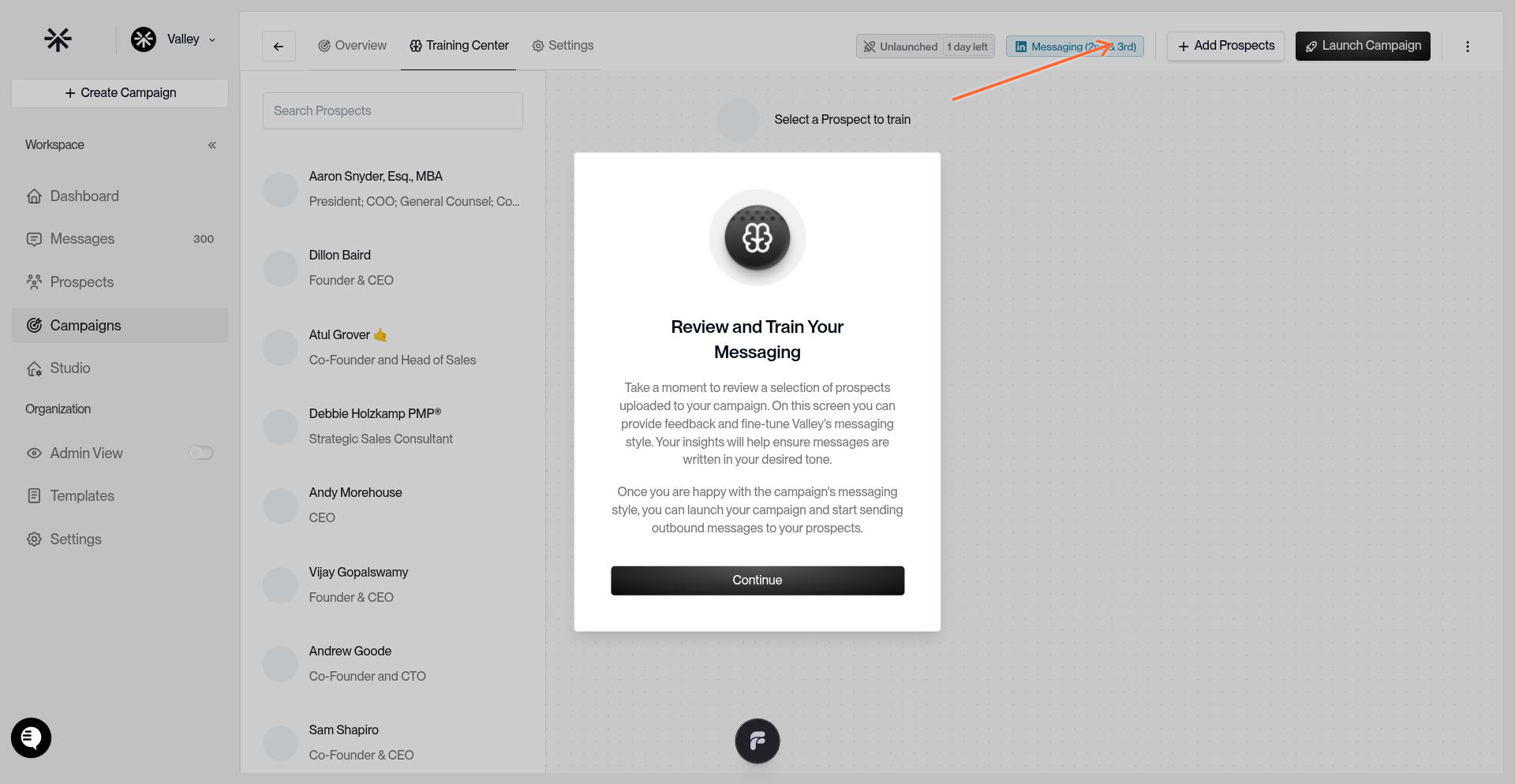
Open the campaign and click Add Prospects in the top-right header.
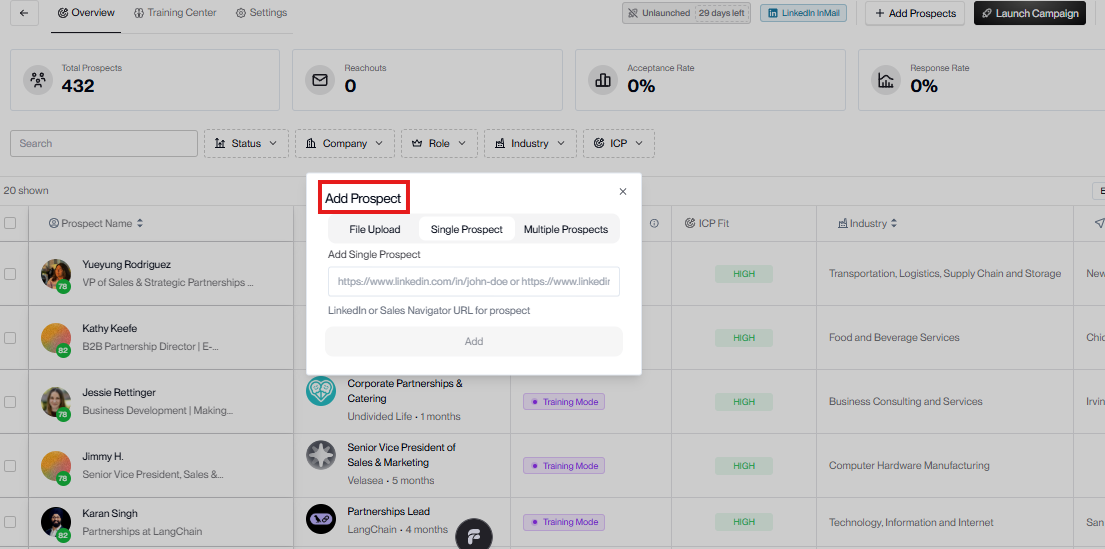
You can add a single prospect, multiple prospects, or upload a CSV.
How new prospects are scored
Valley compares added prospects against the saved ICP for the campaign's Product. That score can be High, Medium, or Low.
If a prospect's country is known and outside your allowed geos, or in an excluded geo, Valley sets the fit to Low immediately.
If country is unknown or ambiguous, Valley scores normally.
For non-gated prospects, Valley stores the overall fit plus company fit, title fit, keyword matches, disqualifiers, and a short justification.
If a newly added prospect does not appear in the campaign as expected, review the campaign's saved ICP and fit rules in ICP Scoring and Managing Prospects.
Prospects that meet your campaign's routing threshold appear in the campaign list and begin at the first step in the sequence.
Keep campaign prospect lists under 2,500 profiles for smoother loading and processing.