
Stop follow-up messages for a prospect
Apply the stopOutreach tag to immediately halt all automated follow-ups for a specific prospect while keeping their record available for reference.
This action also adds the prospect to your workspace-wide Do Not Contact list, preventing future outreach across all campaigns. Their conversation history remains accessible.
From the Inbox (quickest method)
Open the message thread for the prospect you want to stop contacting, then click the red Stop Outreach button at the bottom of the conversation.
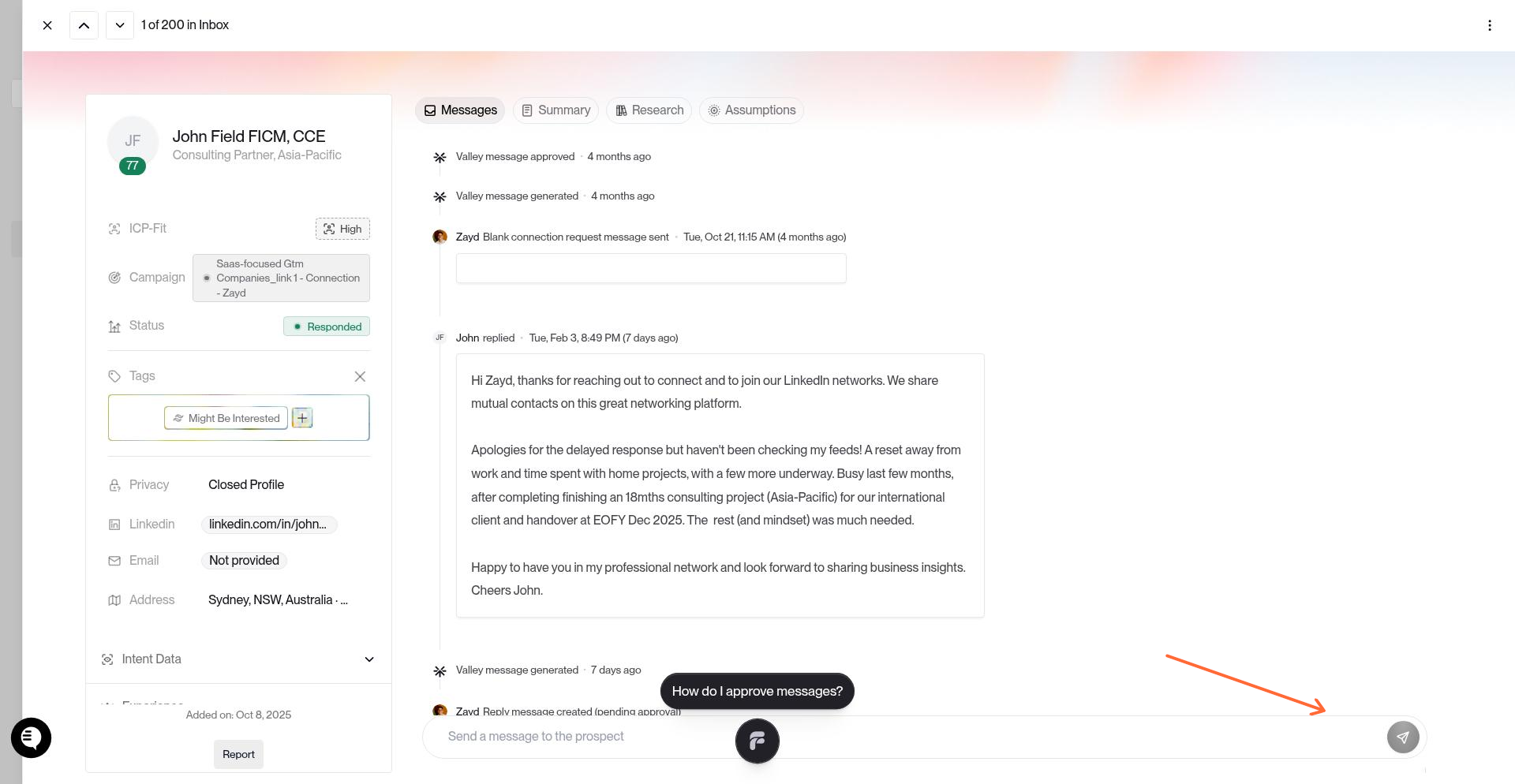
The tag applies instantly and all scheduled follow-ups are canceled.
From the Prospects page (for bulk management)
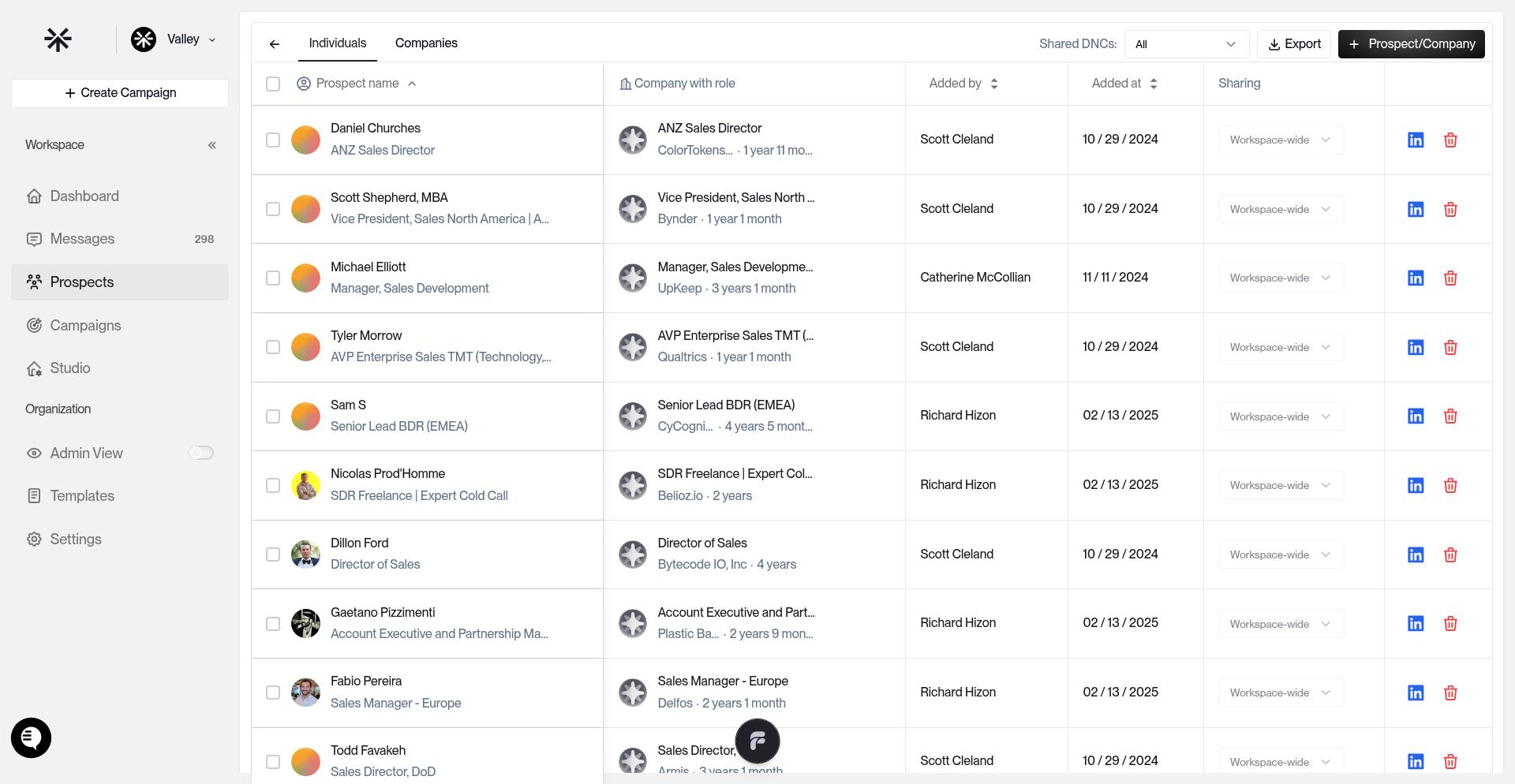
Navigate to Prospects in the sidebar, then All Prospects.
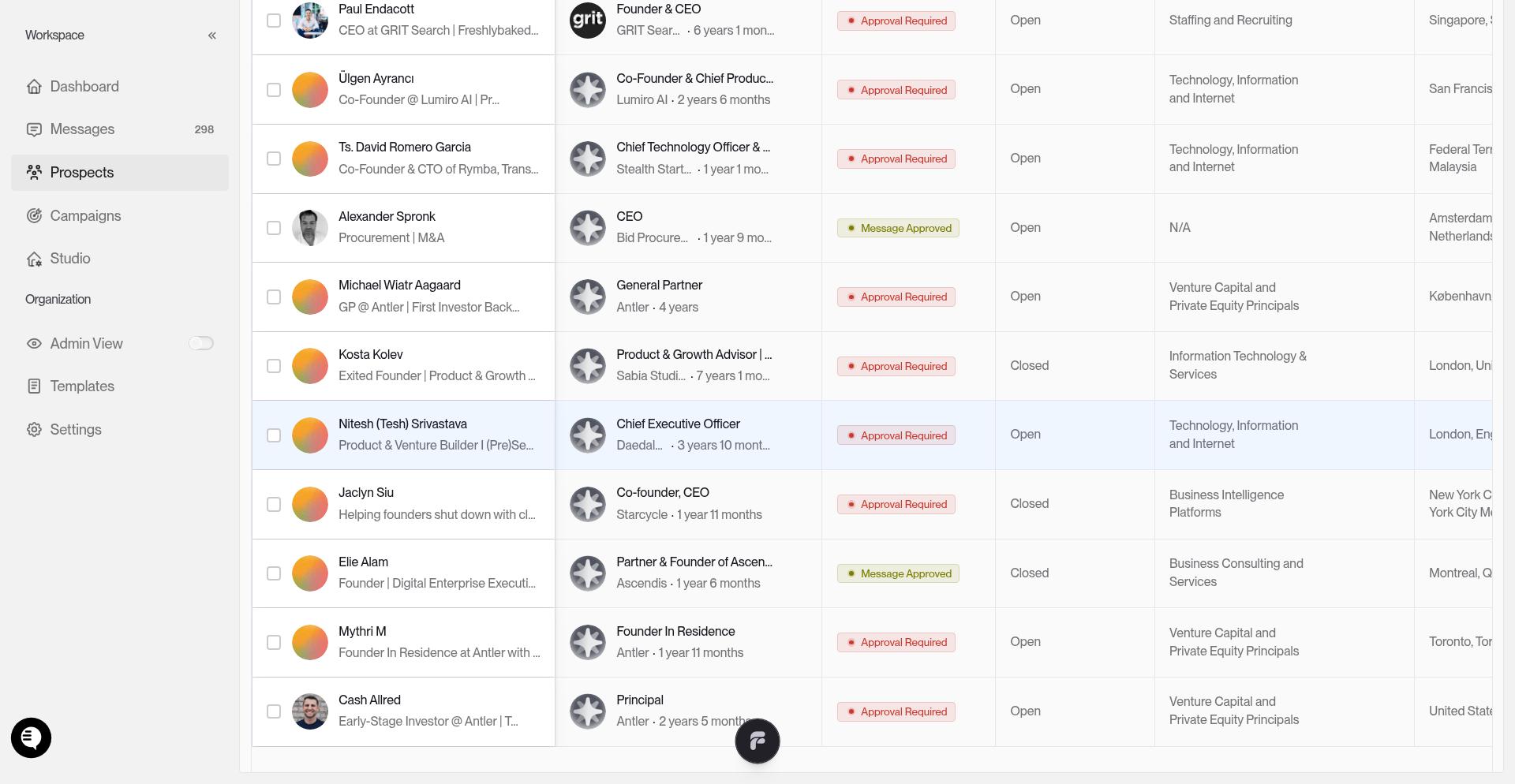
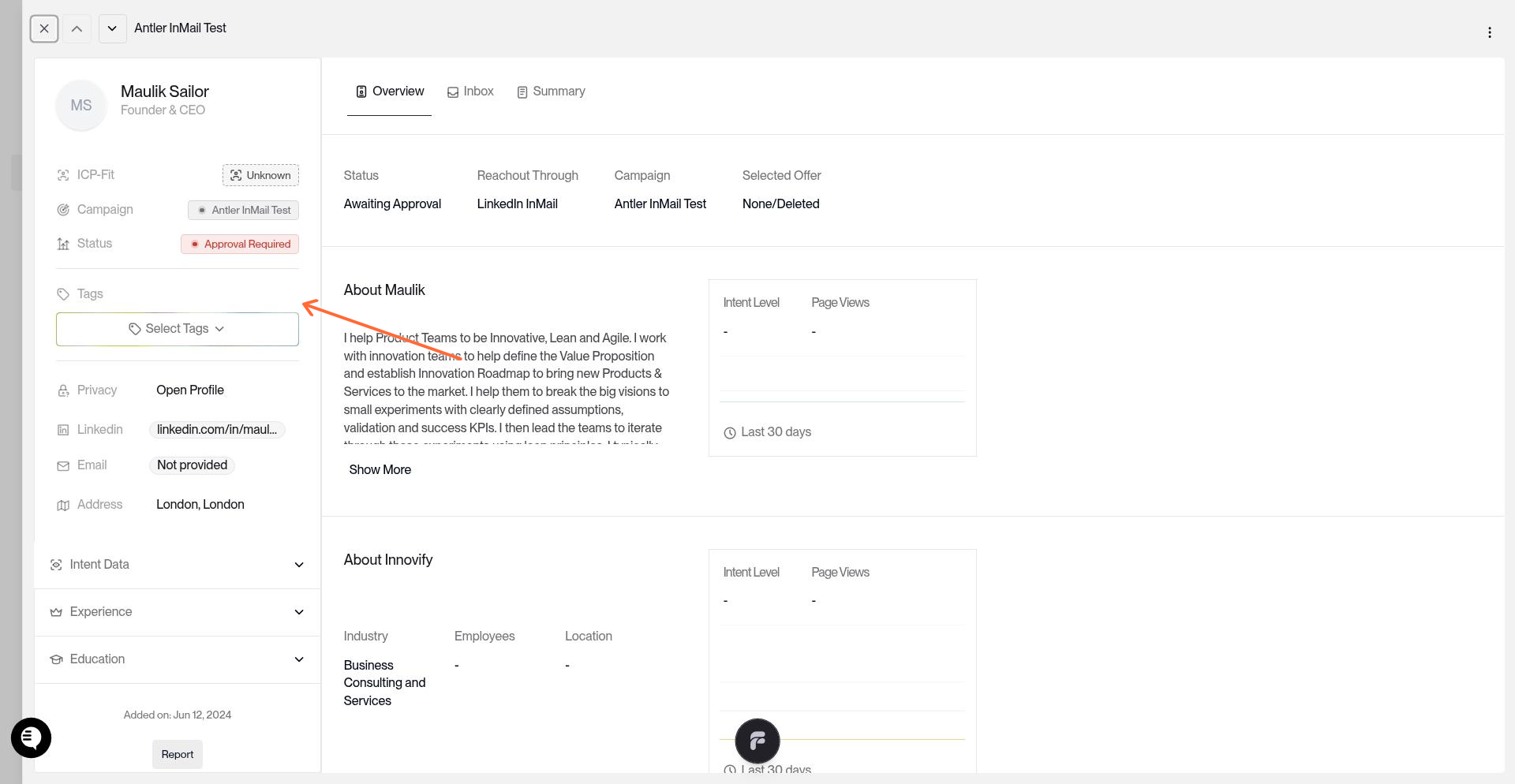
Click any prospect row to open their detail drawer, then locate the Tags section and click Select Tags.
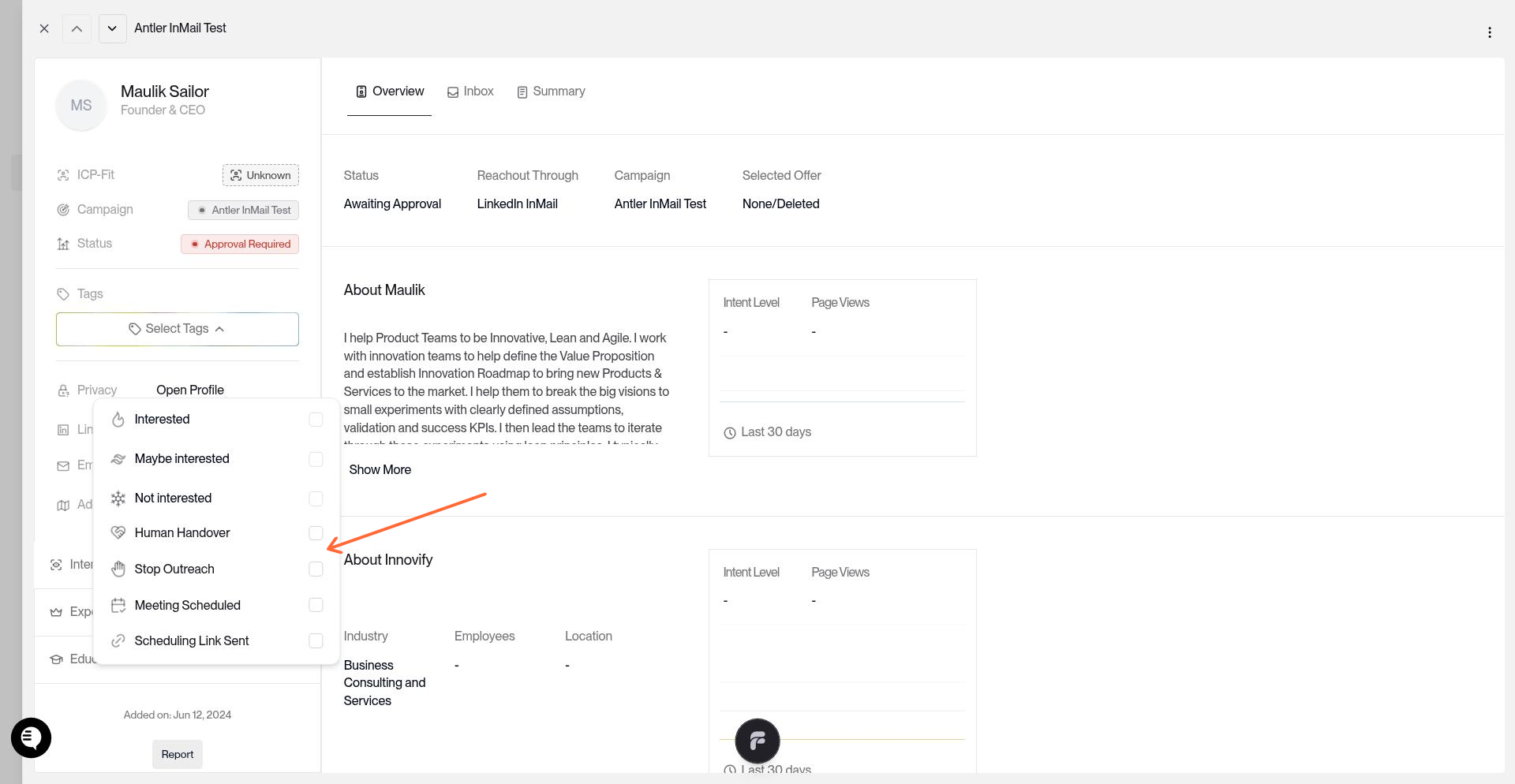
Check the Stop Outreach option in the tag menu.
Verify it worked
Go to Prospects → Do Not Contact to see all prospects with follow-ups stopped. This list is workspace-wide and applies to every campaign.
Stop Outreach vs. deleting
Stop Outreach – Keeps the prospect record and conversation history. Blocks future messages across all campaigns. Use for opt-outs or compliance.
Delete – Permanently removes the prospect from your workspace. Does not prevent re-import. Use for cleanup only.
Valley automatically applies Stop Outreach when a prospect replies with "not interested" or requests to stop receiving messages.
For more context on prospect tags and controls, see Tags & Prospect Controls.